AI agents are the most valuable skill in AI and product right now.
This is an extended edition of several posts I recently published on social media with more new tools and resources.
In this issue, we cover:
What is an AI Agent
How to Build an AI Agent
1. What is an AI Agent
Anthropic offered the best definition:
"Agents (...) are systems where LLMs dynamically direct their own processes and tool usage, maintaining control over how they accomplish tasks."
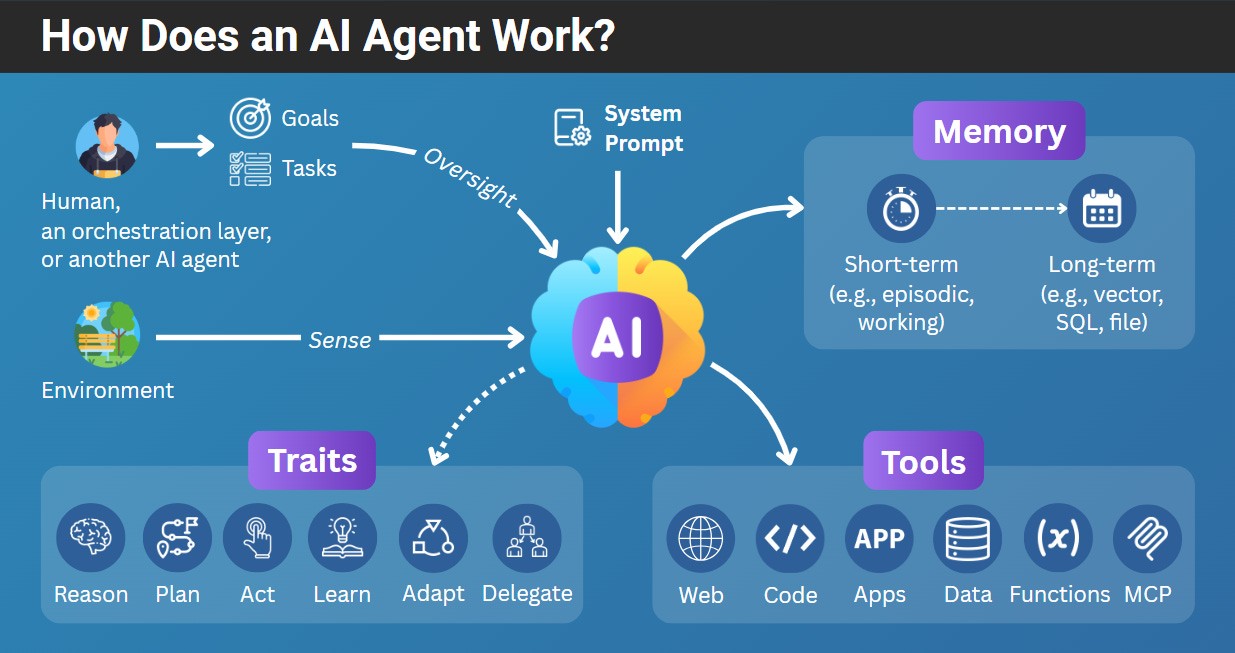
An AI agent is like an LLM on steroids. It can:
Autonomy: Pursue its goals autonomously.
Reasoning: Plan tasks, take action, analyze the results, and adjust.
Tools: Use tools (e.g., a function, MCP server, API, data retrieval, or code editor).
Memory: Remember its previous actions, or even learn from past interactions.
Some AI agents can also collaborate or delegate work to other AI agents or humans.
An example implementation of an AI agent with n8n with short-term memory, built-in tools (Google Sheets, Gmail) and Atlassian MCP server:
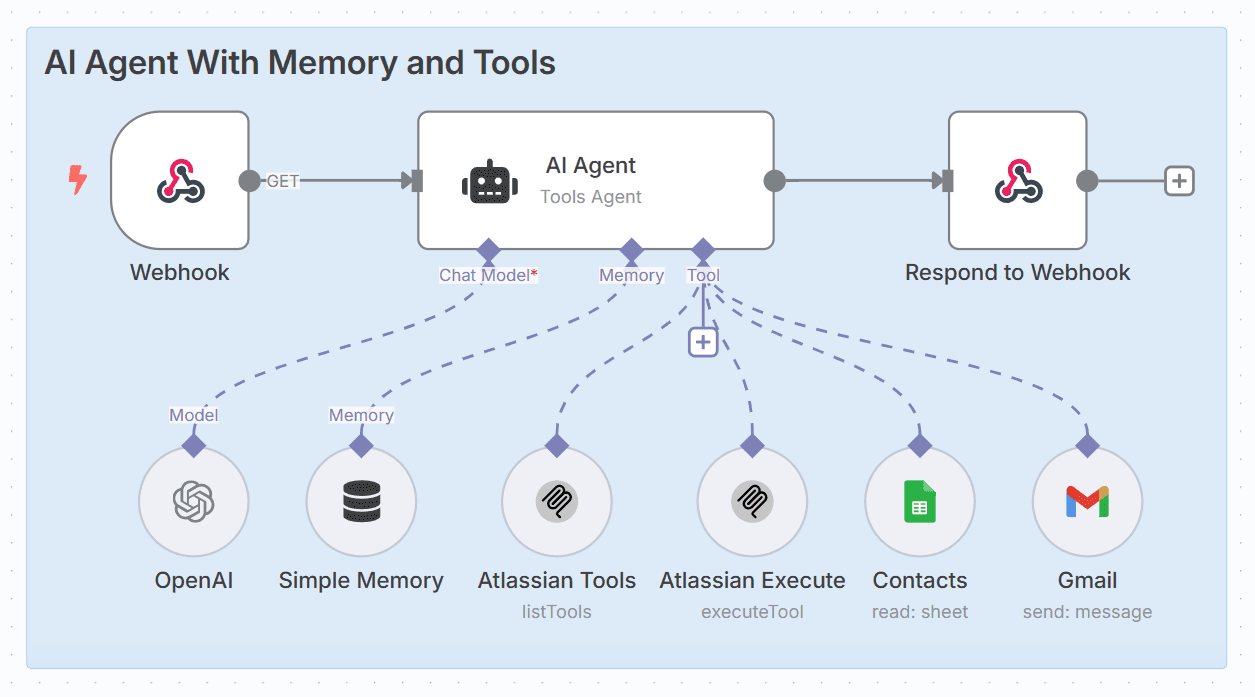
Example: An AI Agent
2. How to Build an AI Agent
Building the first AI agent might take just 30-60 minutes.
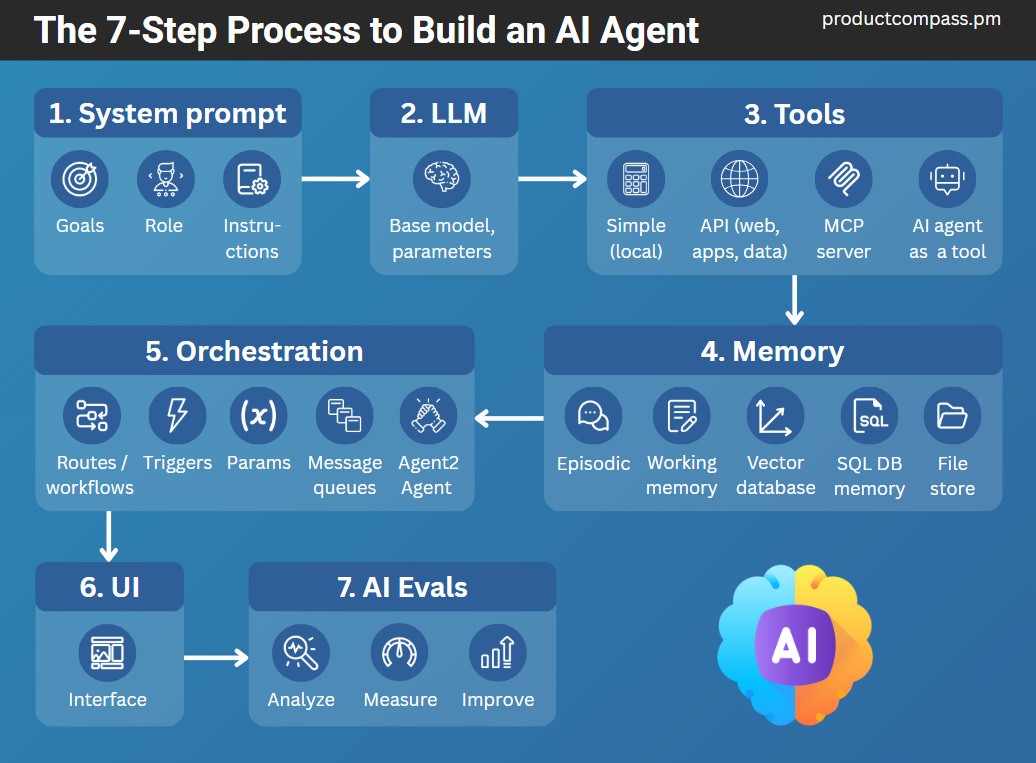
Here’s how:
Step 1: Define a System Prompt
It defines the goals, logic, and expectations.
Step 2: Select an LLM
Unless the framework handles iterating (e.g., n8n), start with a reasoning model (e.g., GPT-5-mini).
Step 3: Connect Tools
What might your AI agent need to achieve its goals? Consider simple tools, like a calculator, custom functions, integrations, data sources, and MCP servers.
Step 4: Connect Memory
The agent must track its progress and learn. Most platforms support:
Short-term memory (variables, last interactions)
Long-term memory (vector, SQL, graph)
Scratchpad (e.g., n8n Think tool)
Step 5: Orchestrate the Logic
Whether a single agent or multiple agents working together, you must:
Map/code repeatable logic (flow) that doesn't belong to specific agents
Orchestrate communication between AI agents (static or dynamic)
You might also like the AI Agent Architectures With n8n Examples.
Step 6: Add User Interface
If your AI agent is user-facing, you can easily add logic using tools like Lovable, Bolt, or Google Firebase. No coding.
For more information, see:
Best Practices: How to Create SaaS Without Coding
A Complete Course: How to Build a Full-Stack App with Lovable (No-Coding)
Step 7: Evaluate the AI Agent
Rather than relying on standard metrics (hallucinations, helpfulness), perform error analysis and let metrics naturally emerge.
Some evaluators can serve as guardrails, executed at inference time. Most are code-based evals.
Go Back